This is a recap of our October webinar for IFS users. AI is already coding purchase invoices in the daily work of many IFS customers, so Miikka Savolainen, our COO, and I skipped the general AI talk. Instead, we followed one purchase invoice all the way through IFS, from arrival to posting, and showed what happens at each step. Below you’ll find the recording and the key takeaways.
Why is coding still where the time goes?
In the Nordics, receiving invoices was automated a long time ago. They arrive in IFS as e-invoices or through a scanning service, and nobody types them in anymore. Coding is a different story.
The AP clerk first checks whether the invoice has a PO number. If it doesn’t, someone has to code it by hand: account, cost centre, project, tax code and any other dimensions the organisation uses. The know-how often lives in one person’s head or in an Excel sheet. When that person is on holiday, coding slows down and the month-end gets tight.
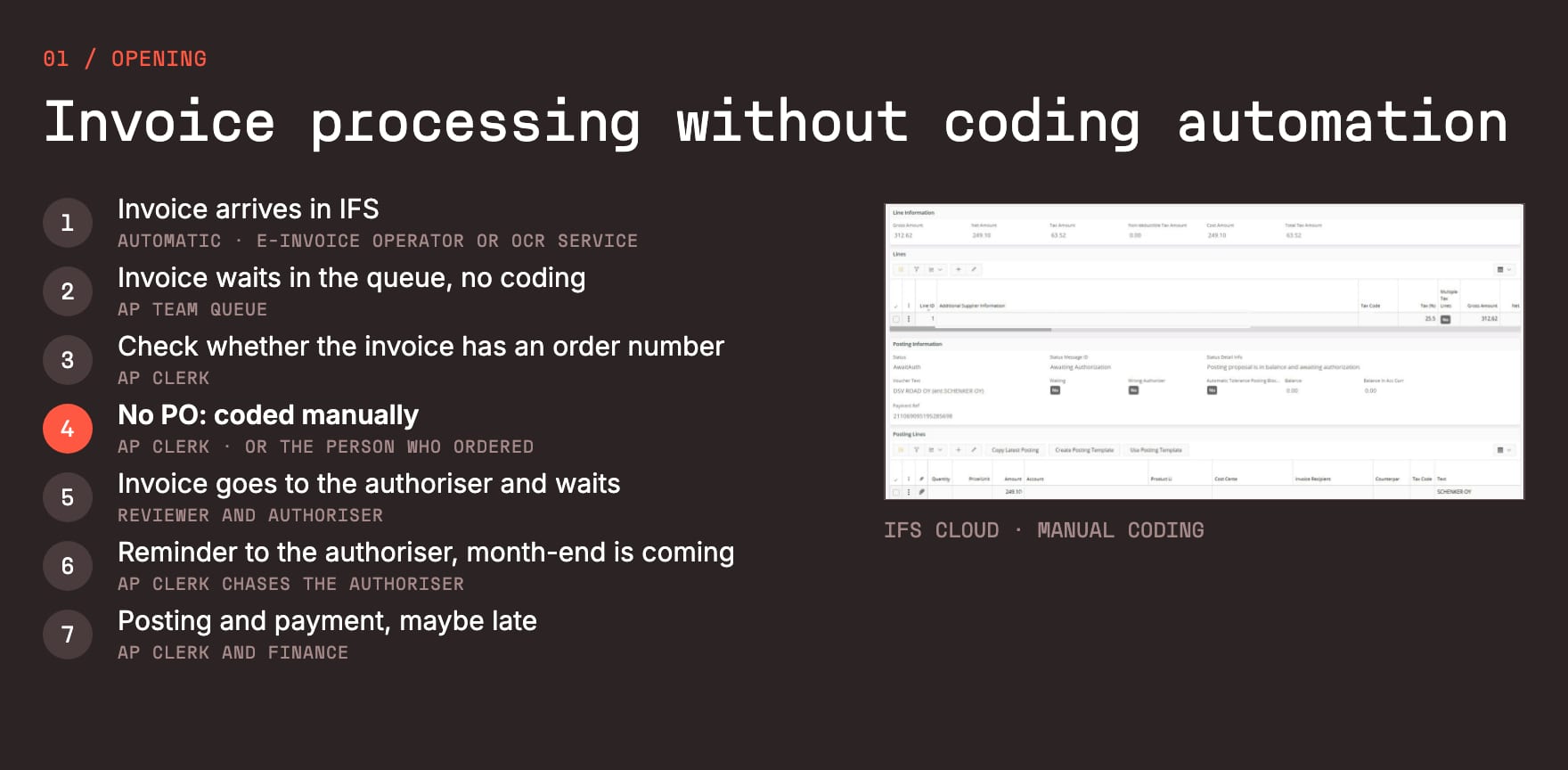
Rules are written by hand, AI learns from your history
There are two ways to automate coding. Rules work well for standard recurring invoices, but building them takes special expertise, and they need maintenance every time something changes. That is where AI comes in:
- No rules to write. The AI learns from how your organisation has coded its invoices before.
- It keeps up. It adapts to changes and keeps improving automatically.
- Consistent every day. The same invoice gets the same coding, whoever is on holiday.
- More meaningful work. When the routine coding is done for you, AP work becomes a lot more interesting.
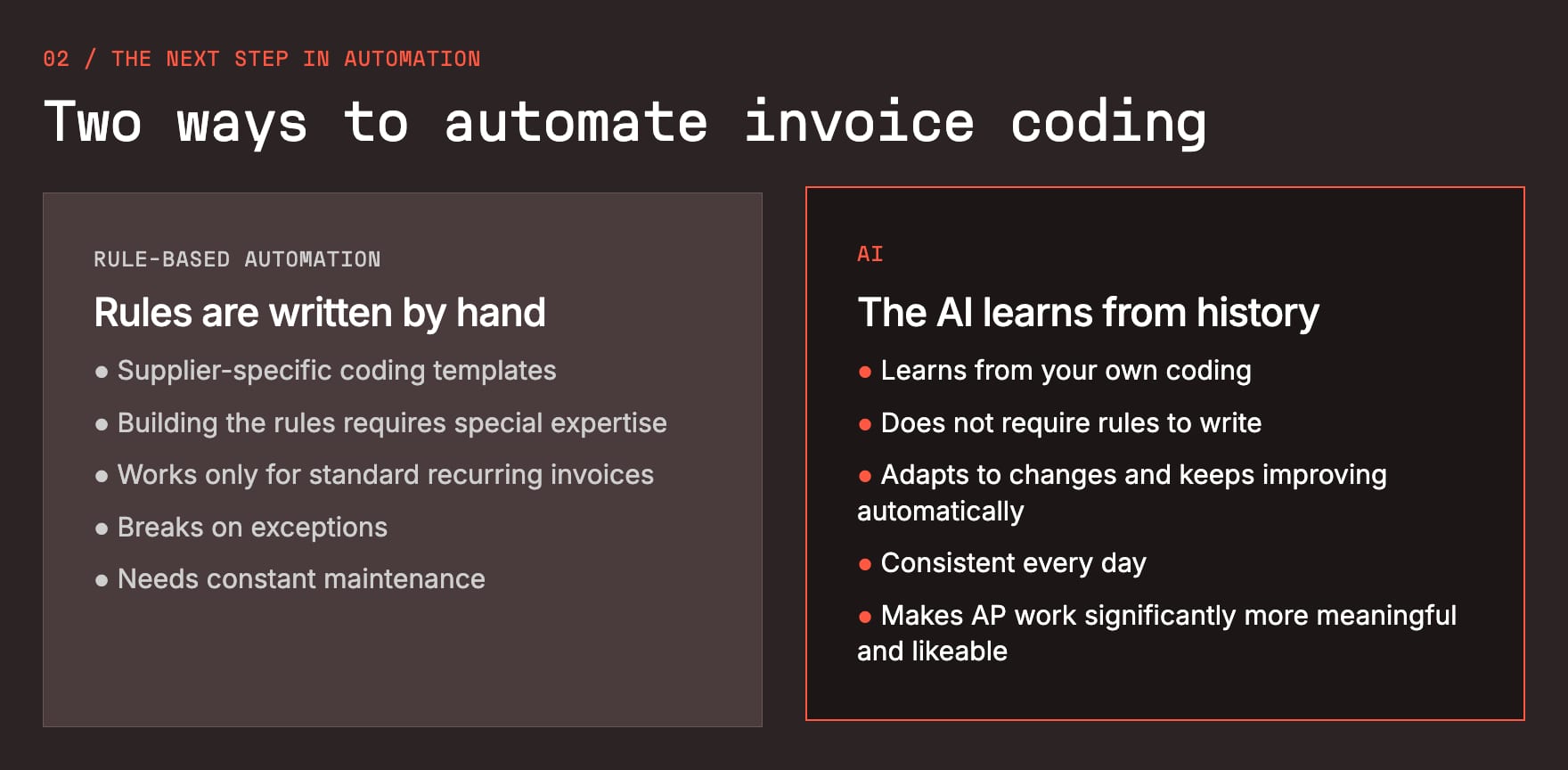
The invoice arrives in IFS already coded
The short version: no new UI, no extra screens. Snowfox reads the whole invoice, not just a few key fields: supplier, reference, delivery address, line texts and amounts. AI models trained on your own historical data then predict each coding field one at a time, including the reviewer. The values show up in the Posting Proposal view in IFS.
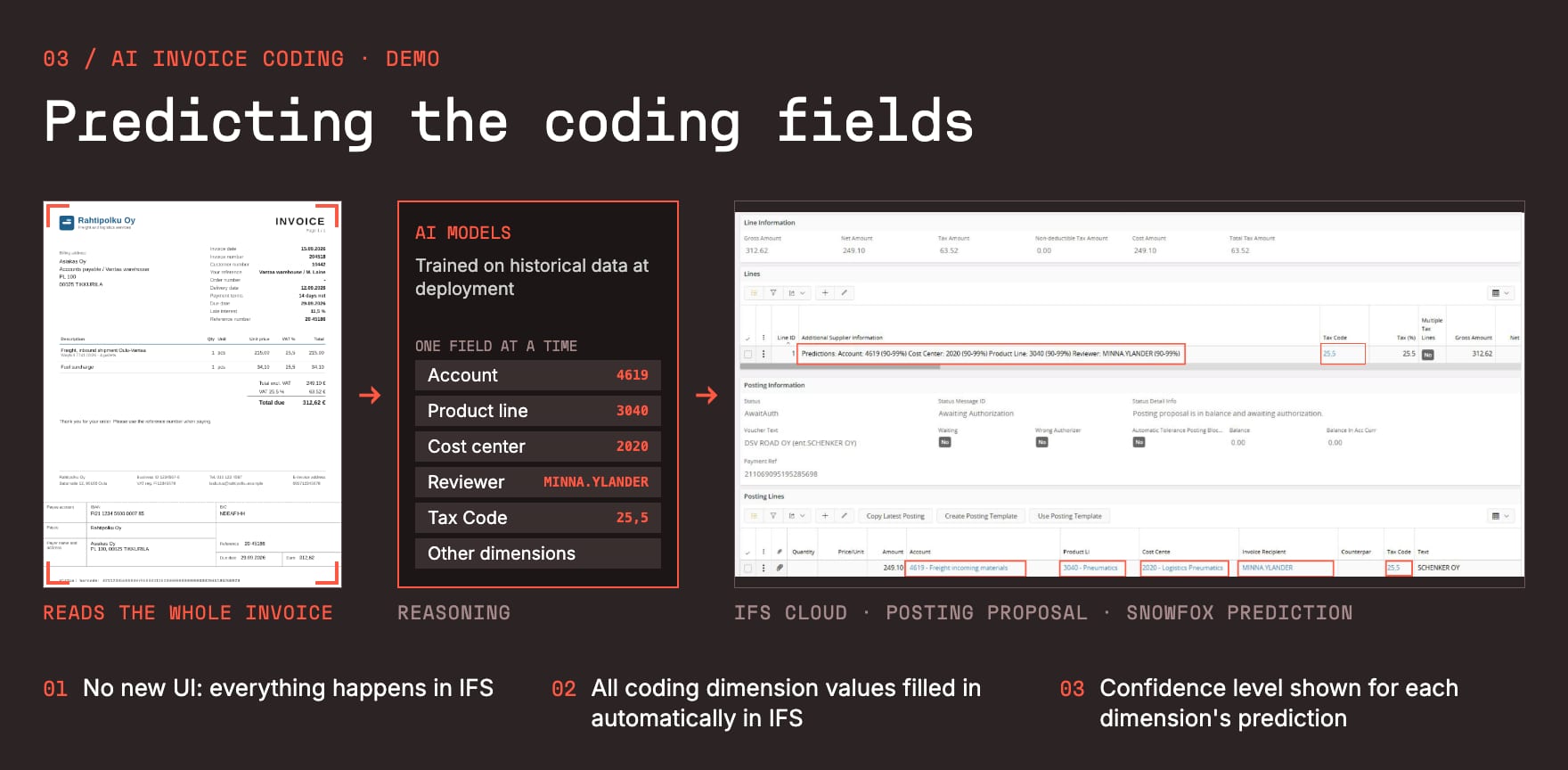
We also showed four things people tend to ask about:
-
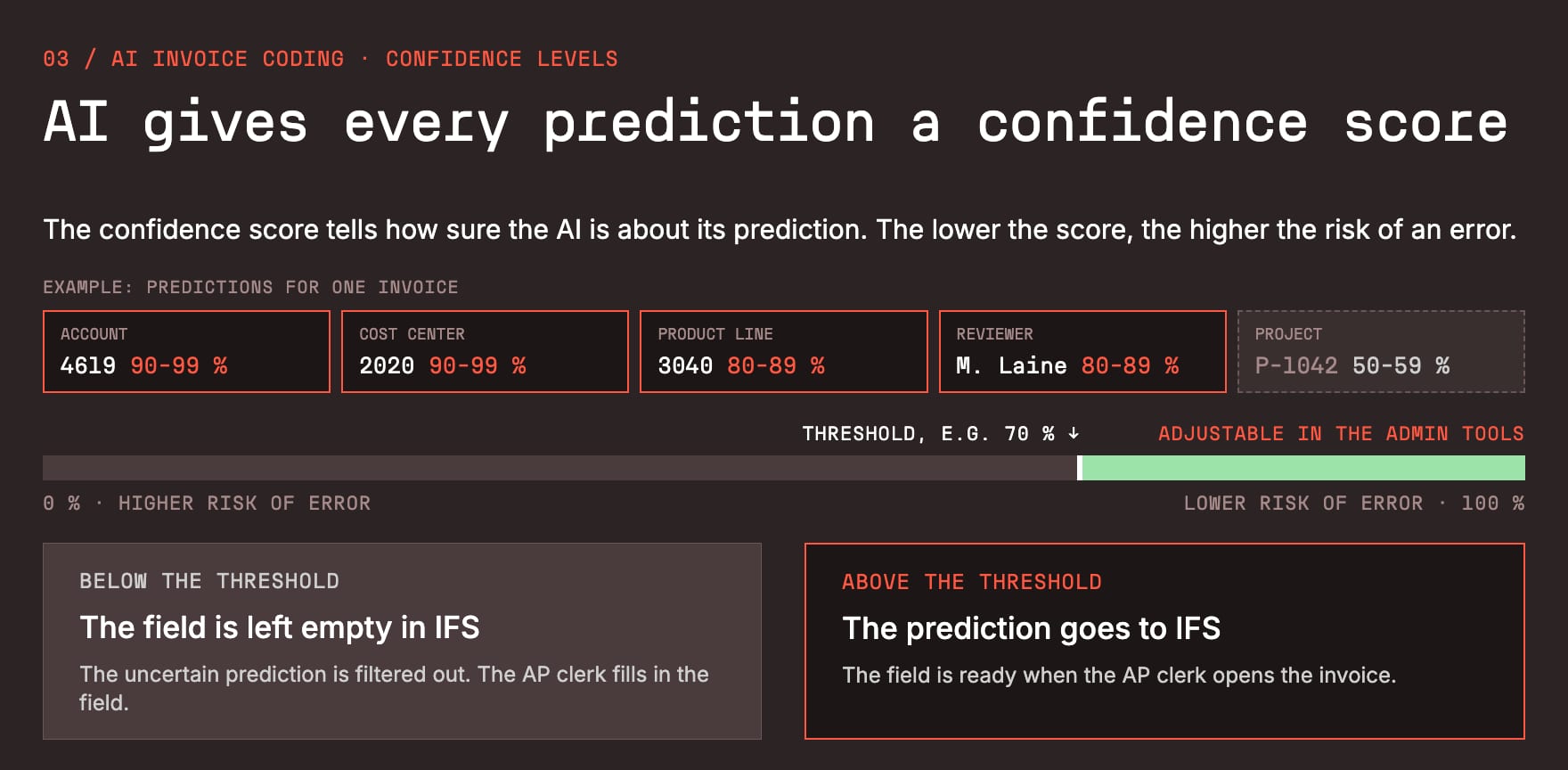
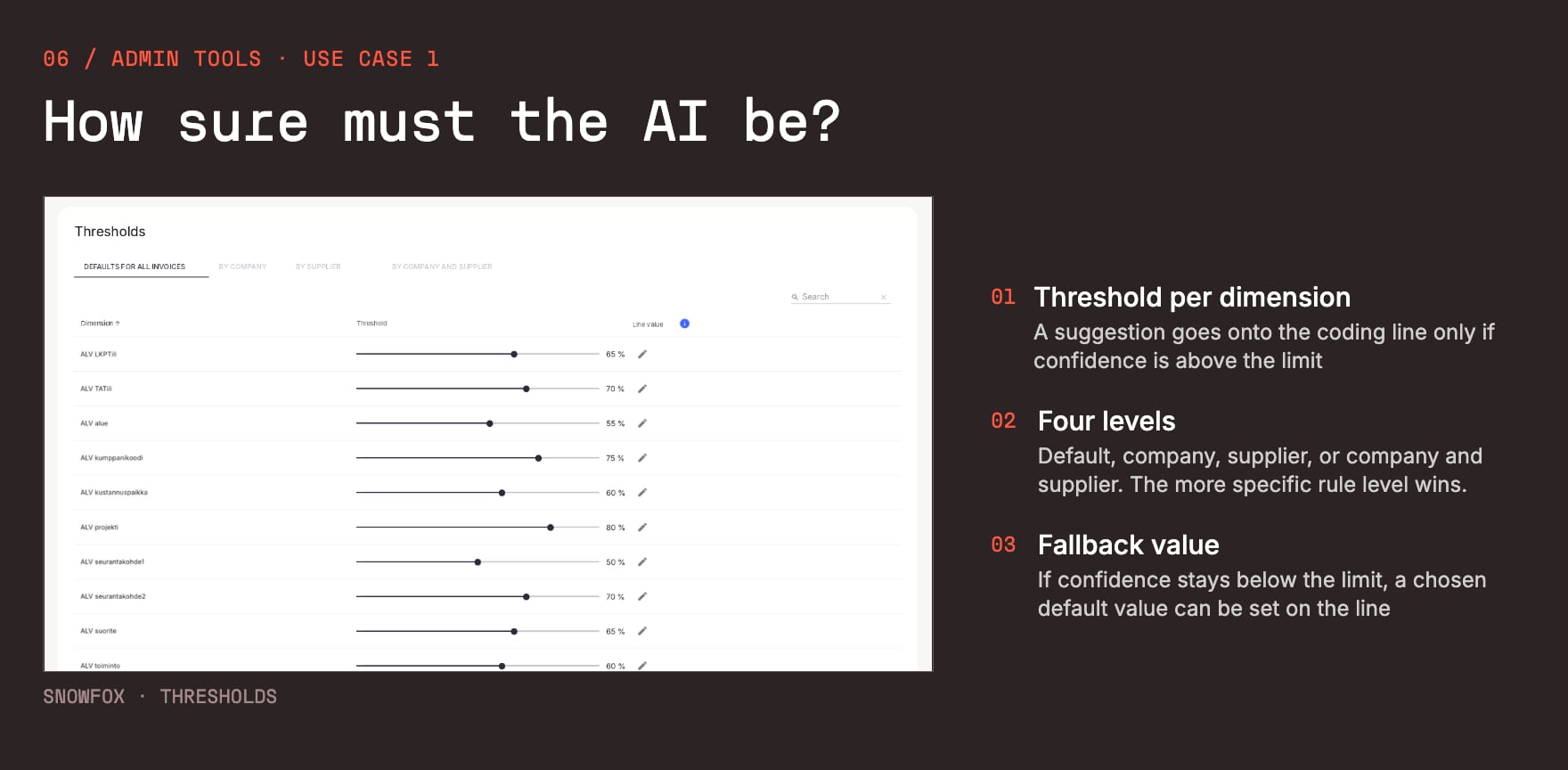
A confidence level for every field. You set a threshold, and anything below it is left empty for a person to fill in. The AI only fills in what it is sure about.
-
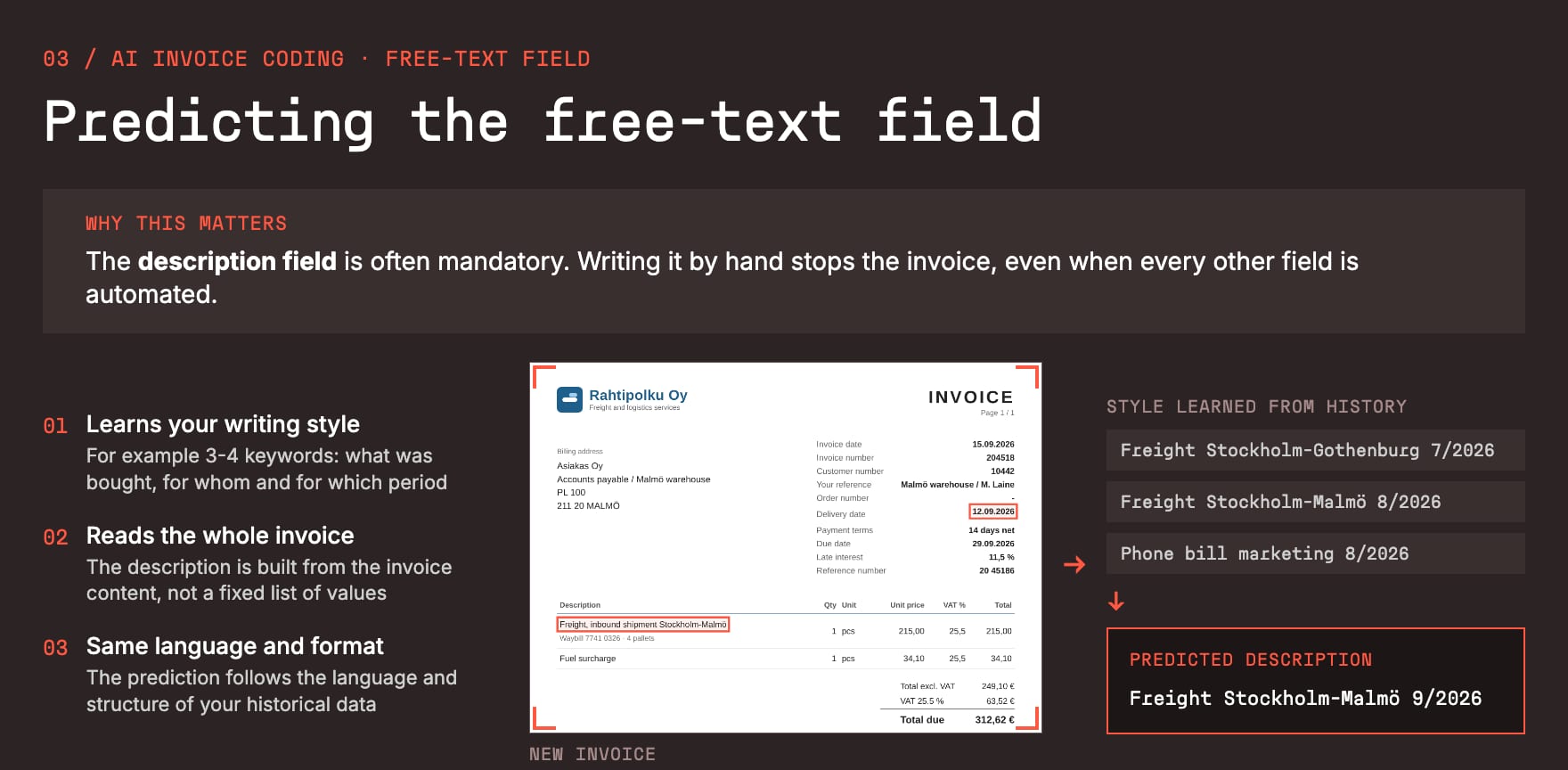
The free-text field. The description field is often mandatory, and writing it by hand stops the invoice even when everything else is automated. Snowfox learns how you have written descriptions before and writes one in the same style, for example “Freight Stockholm-Malmö 9/2026”.
-
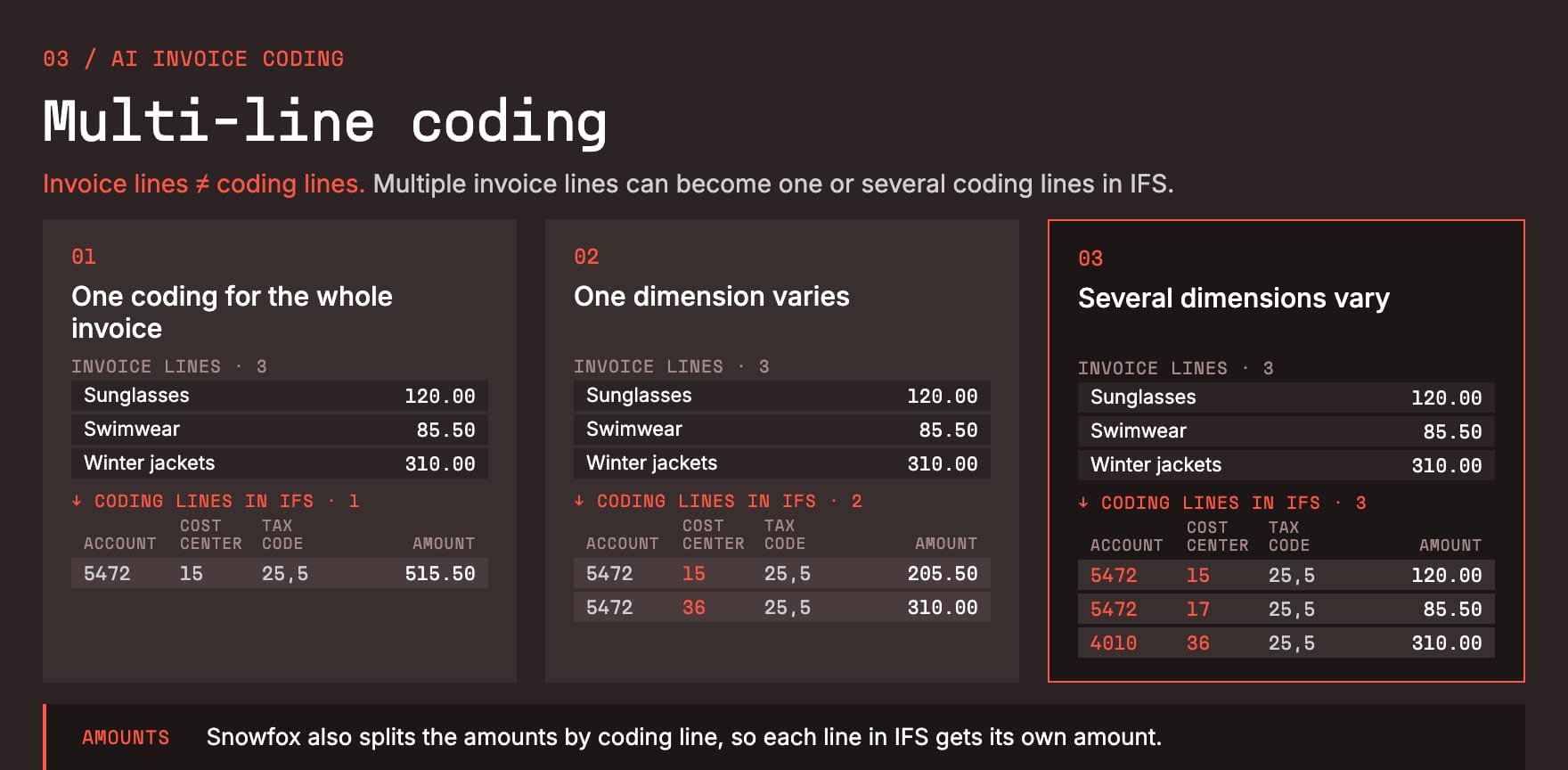
Multi-line invoices. Invoice lines and coding lines are not the same thing. Three invoice lines can become one coding line or three, and Snowfox splits the amounts by coding line too.
-
Every correction improves the model. When the AP clerk changes a value, the final posting goes back to Snowfox, and the next invoice from that supplier gets it right.
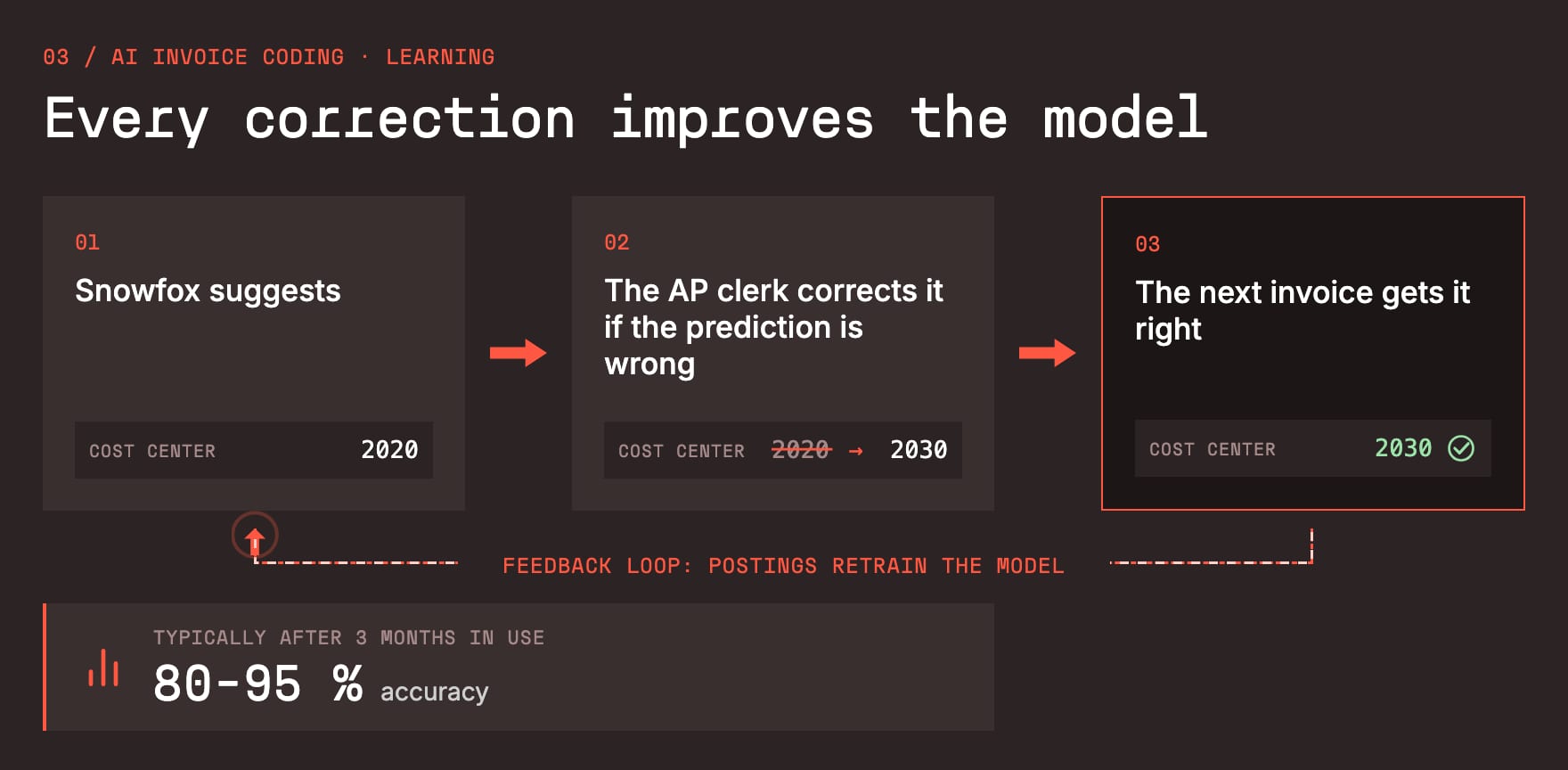
After three months in use, we typically see 80 to 95% accuracy.
If it’s on the invoice, there’s no need to predict it
AI learns from history, but some values don’t repeat, such as project numbers that change quickly. If the value is written on the invoice, Snowfox simply extracts it. Extraction complements the AI rather than replacing it.
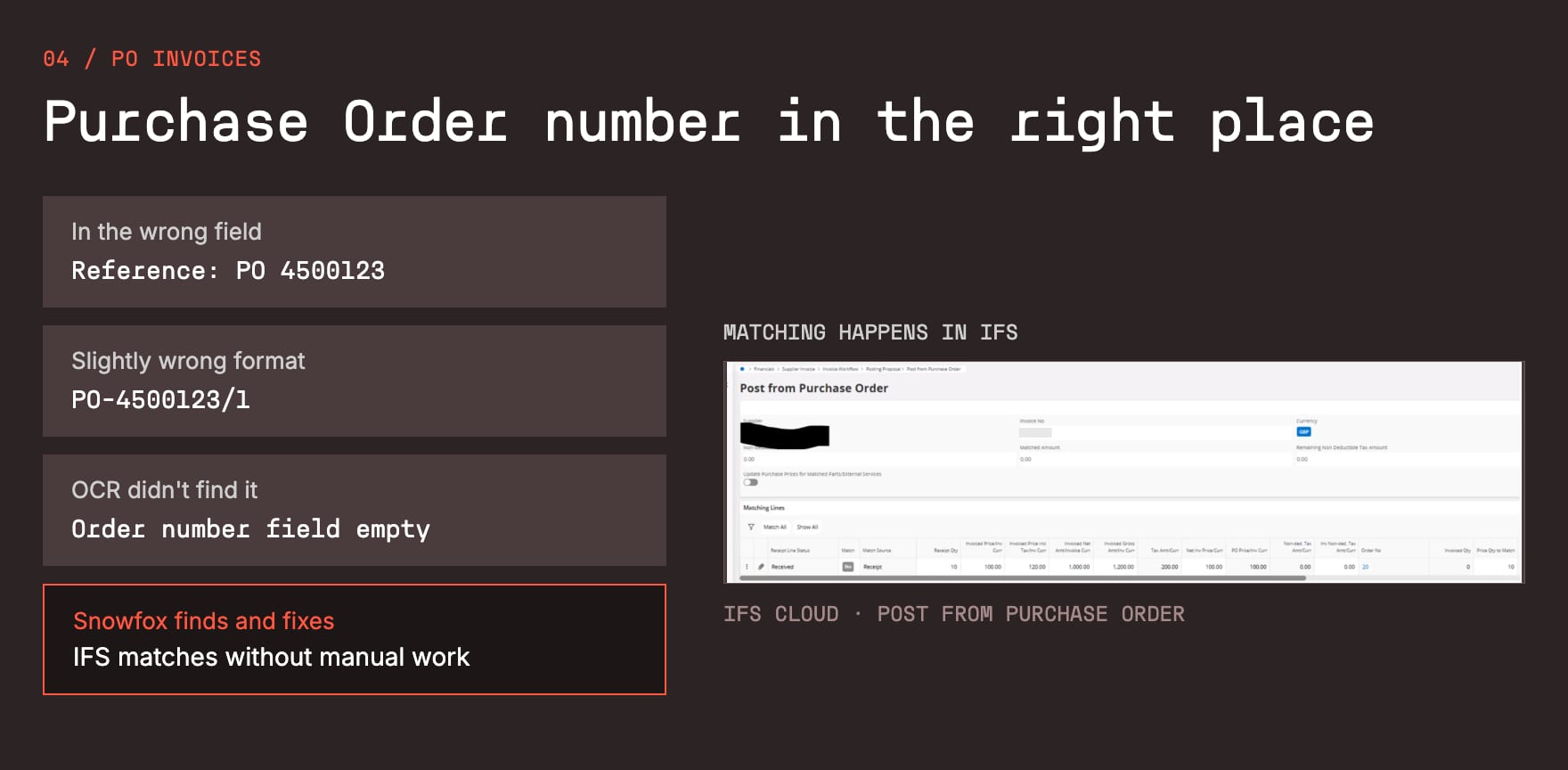
The classic example is the PO number. IFS matching stops if the order number is missing, in the wrong field or in a slightly wrong format, and the invoice drops onto someone’s desk. Snowfox finds the number anywhere on the invoice and puts it in the right field in the right format. The matching itself still happens in IFS, so more PO invoices go through without anyone touching them.
You stay in control of the AI
This was probably my favourite part of the webinar. Your business changes all the time: cost centres are retired, people change jobs, suppliers come and go. The AI has to keep up, and your own team should be able to steer it without opening a ticket. That is what the analytics and admin tools are for:
-
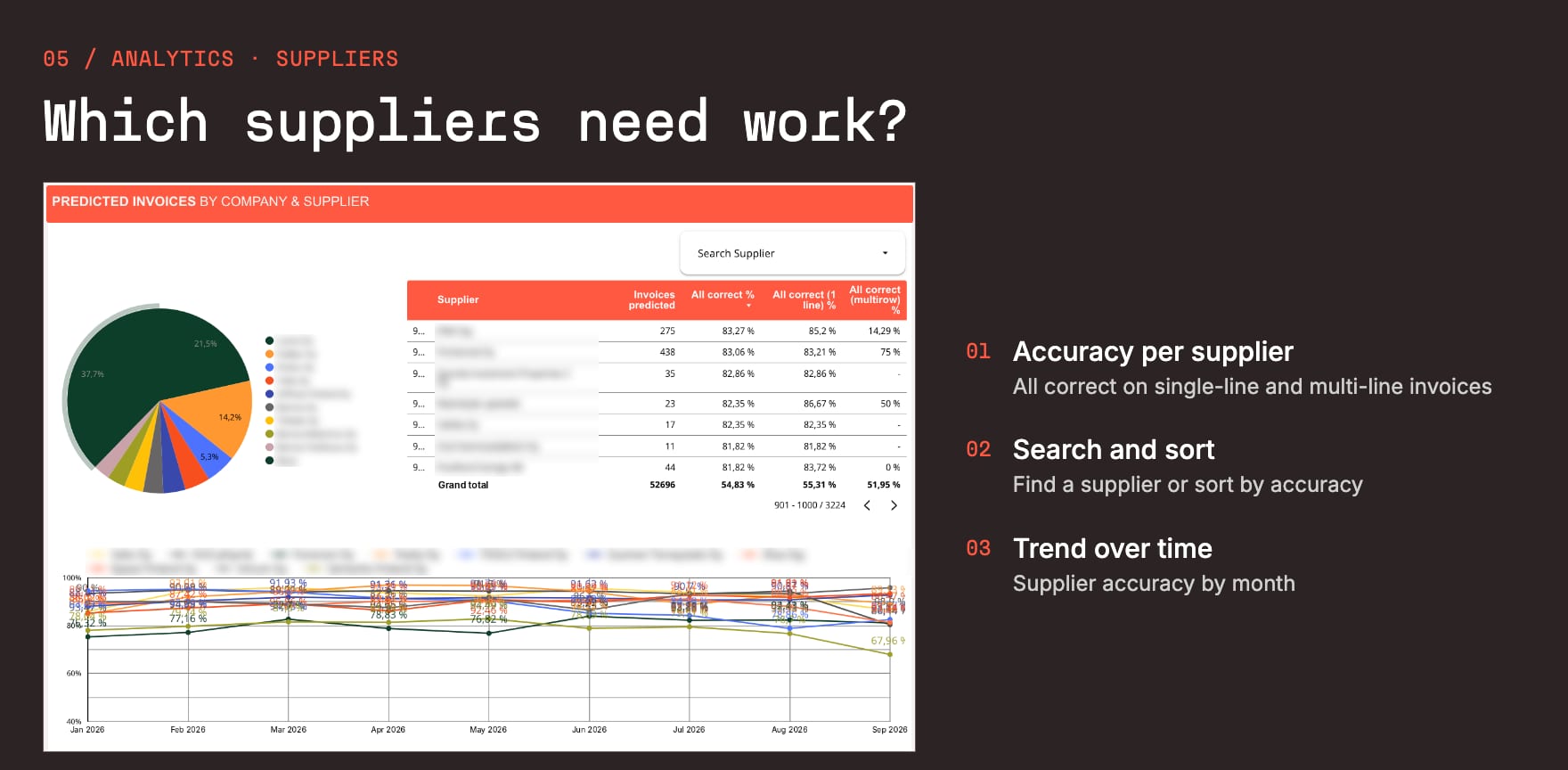
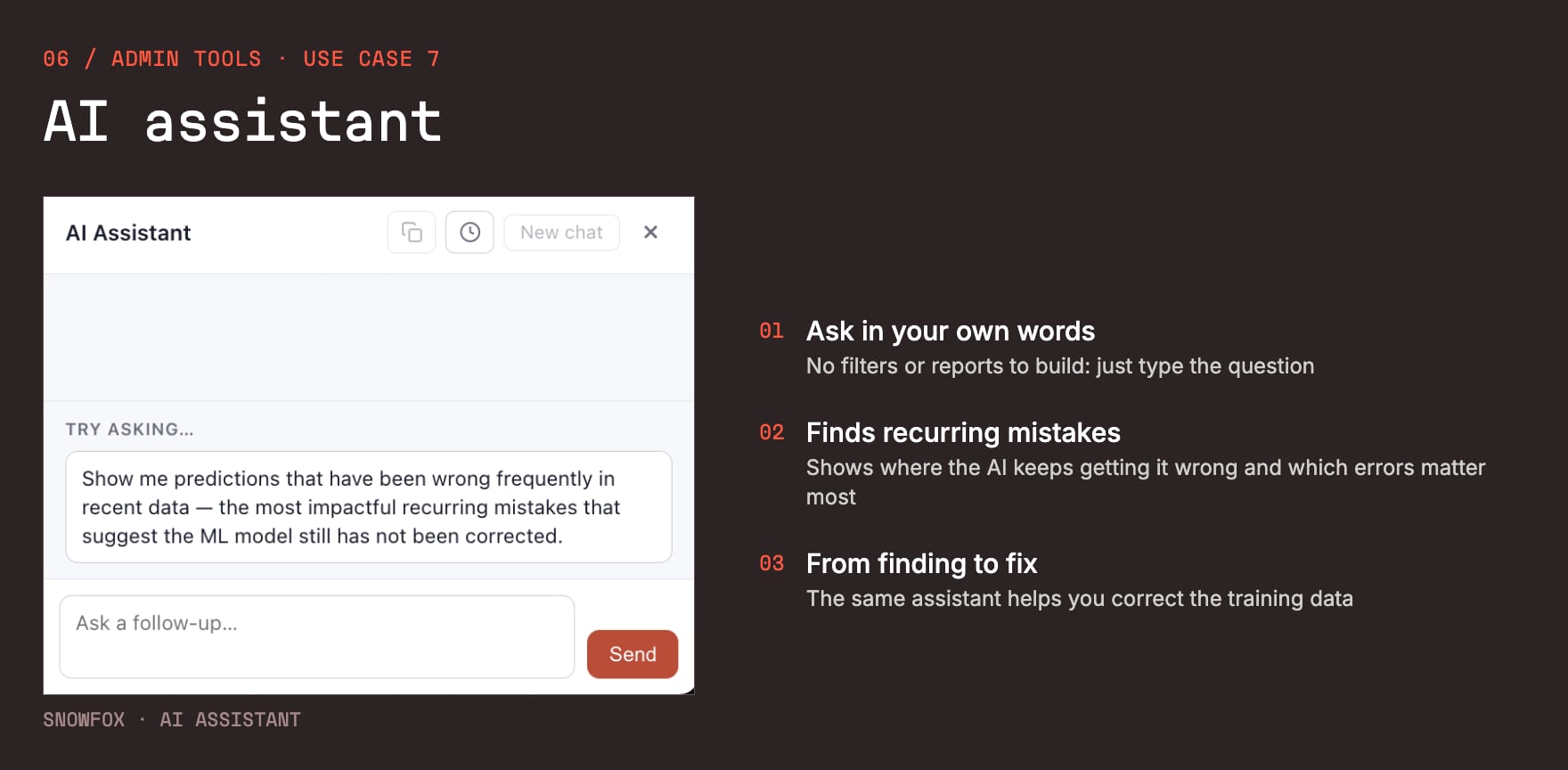
Analytics. See how accurately the AI codes your invoices, per dimension and per supplier, and where it needs help.
-
Thresholds. Decide how sure the AI must be before a value goes onto the coding line.
-
Changes in your own words. A retired cost centre or a person who left? Describe it to the assistant, and the model is retrained overnight.
-
Excluding invoices. For example a supplier that only sends PO invoices.
-
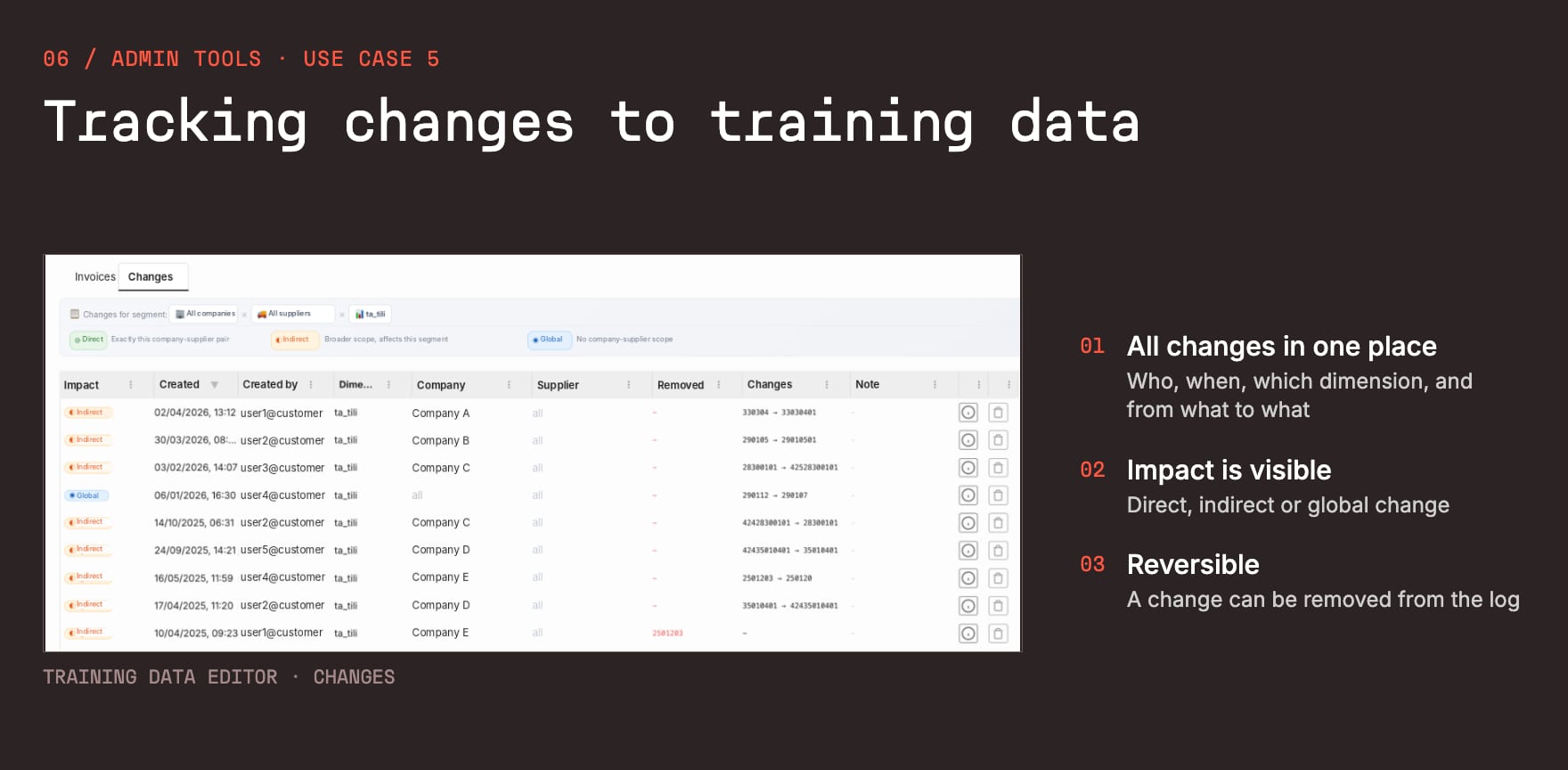
A full change log. Every change is logged and can be undone. No black box.
-
The AI assistant. Just ask, for example “show me the most impactful recurring mistakes”, instead of building reports.
Deployment takes weeks, not months
The question we always get is how heavy this is for IT. In practice, though, it is light. A typical deployment takes 4 to 6 weeks from contract to production, and everything on the IFS side uses standard functionality:
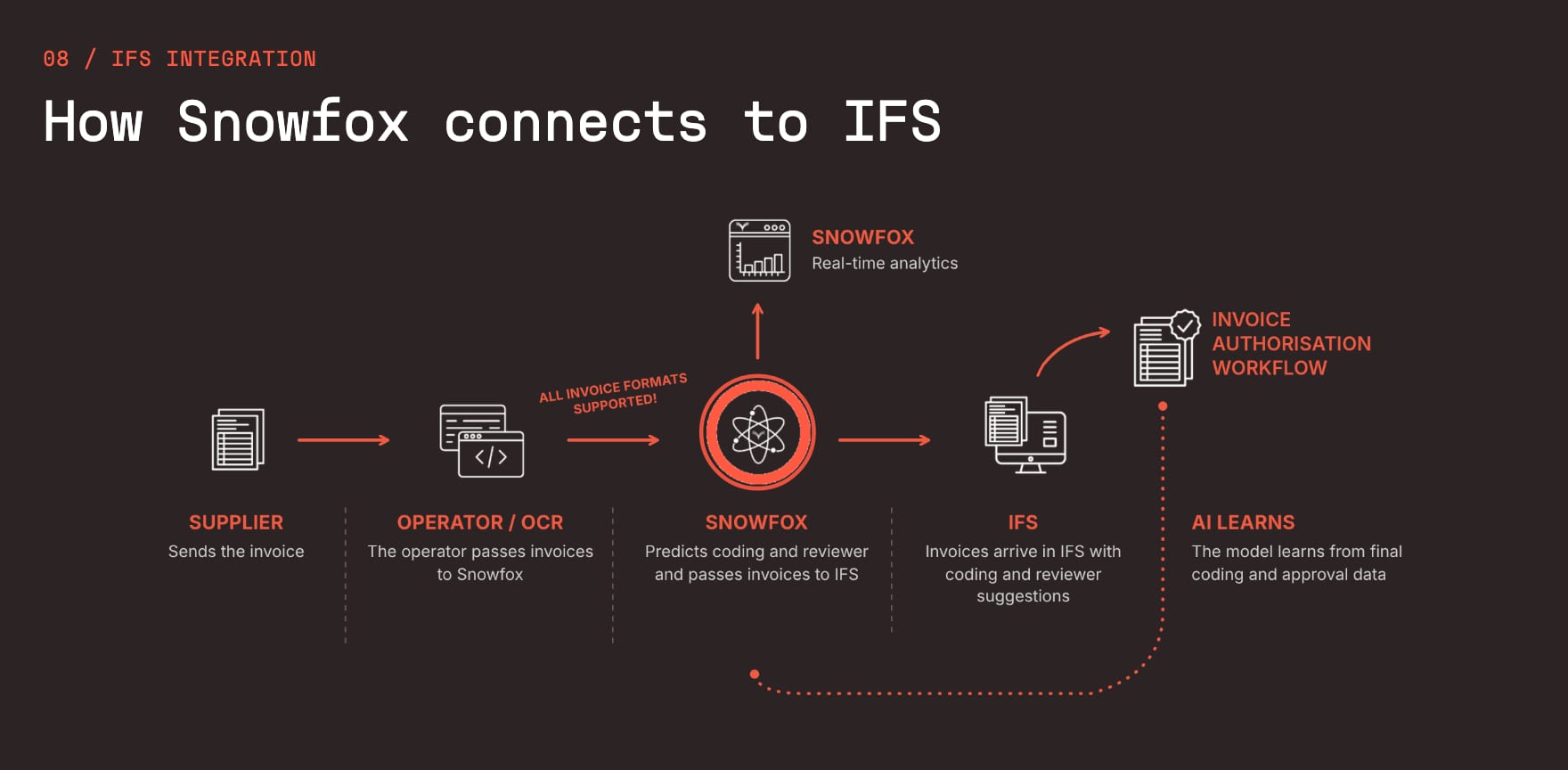
- Historical data. Extract it from IFS with ready-made Quick Reports we provide.
- SFTP connection. Invoices go to Snowfox, coding suggestions come back to IFS.
- Two IFS settings. So IFS accepts the coding and authoriser suggestions.
- Feedback loop. Final postings flow back to Snowfox automatically.
- Testing. Check a few test invoices in the Posting Proposal view.
That is a job for your IFS admin or IT, and we take care of the rest. Because the AI is trained on your own history, coding works from day one.
The best way to know is to test it on your own data
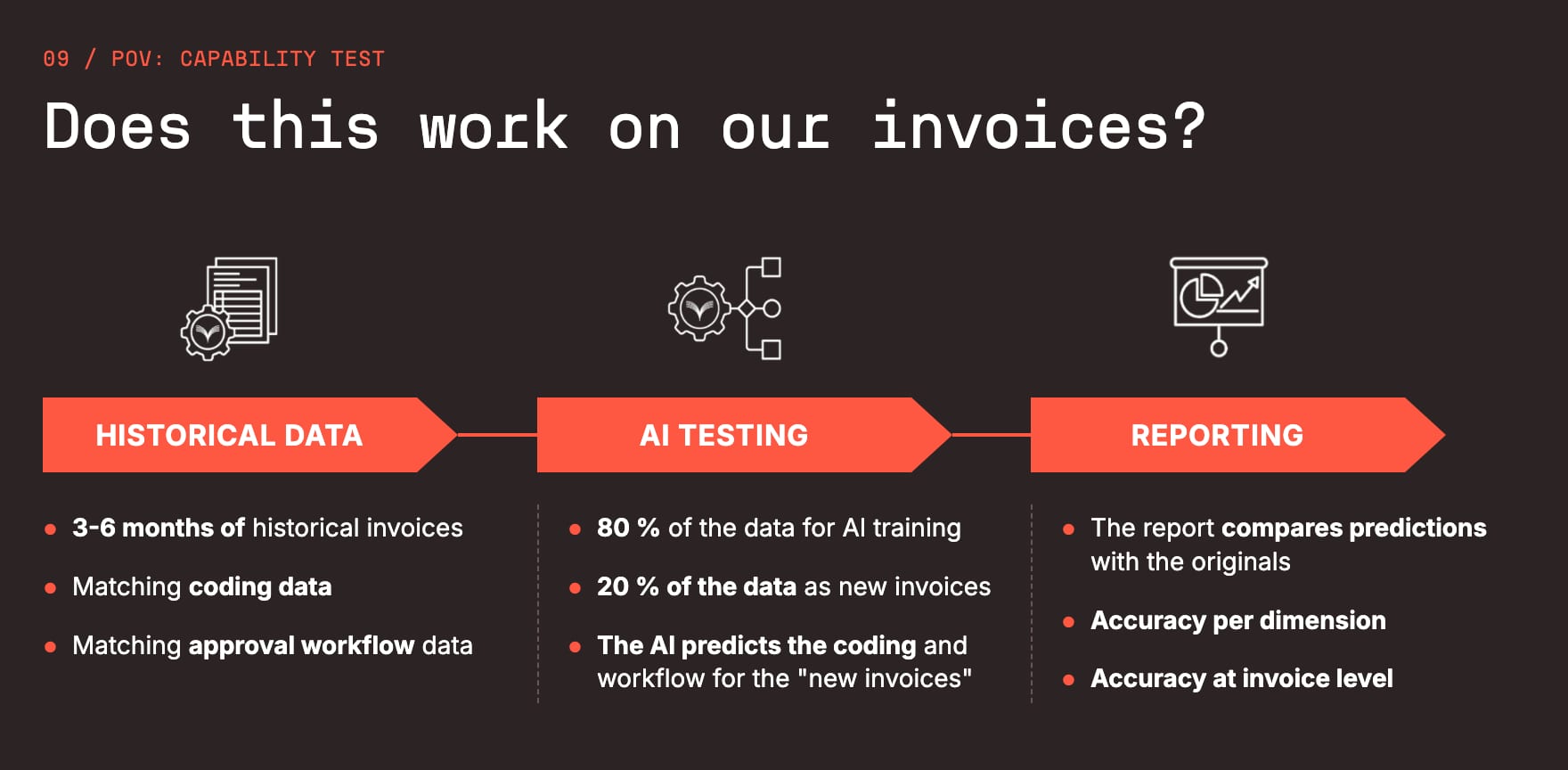
We closed the webinar with the question that really matters: does this work on your invoices? You can get the answer before making any decision. In a proof of value, you give us 3 to 6 months of historical invoices with their coding and authorisation data. We train the AI on 80% of it and let it predict the remaining 20% as if they were new invoices. The report then shows the accuracy per dimension and at invoice level.
If you missed the live session, we recommend watching the full recording at the top of this post. And if you want to know what accuracy your own invoice data would reach, book a short conversation and we will run a test on your history.